
September 17, 2026
Why your daily brief should run on your notes, not the news
Generic headlines are easy. A useful brief reads your todos, moods, habits, and notes from the last two weeks and asks one question worth answering.
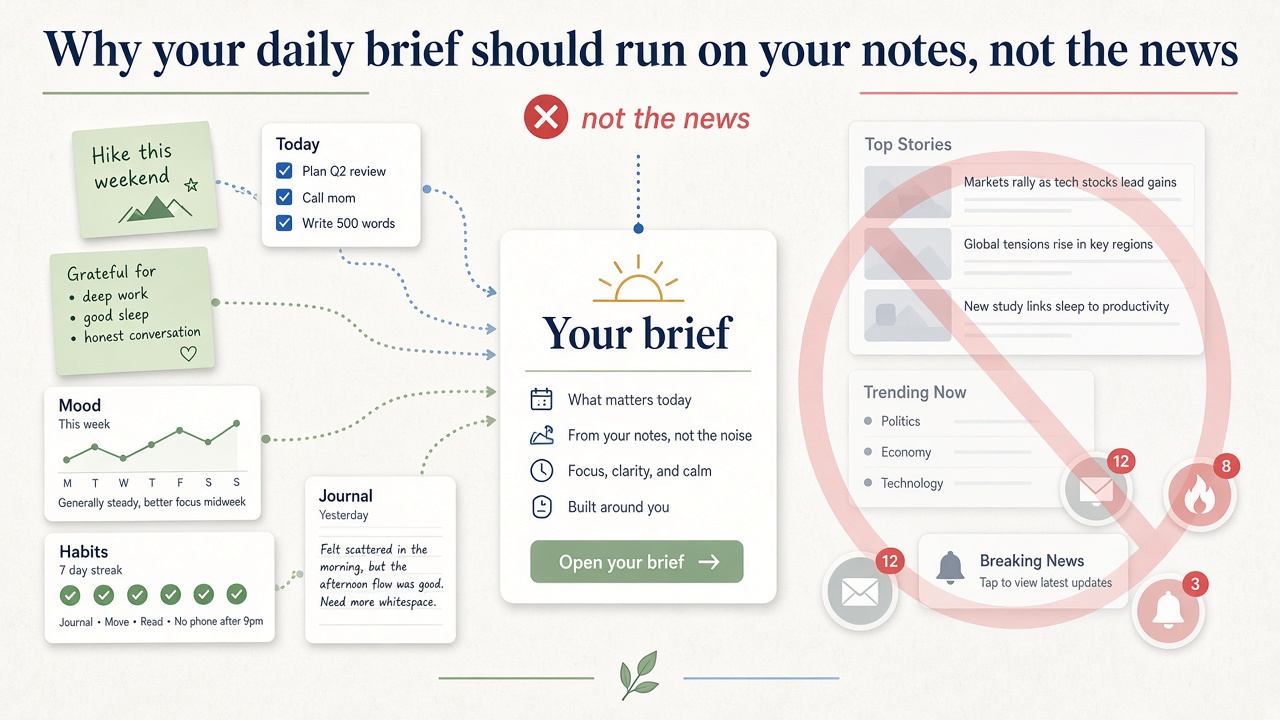
Most "daily brief" products pull headlines from the internet. That is useful when you want to know what happened in the world. It is much less useful when you want to know what happened in your week.
BigPicture's daily brief is built on a different bet: the interesting signal is already in your notes, todos, habits, moods, and conversations. The job of the product is to surface patterns you would miss if those pieces stayed in separate apps.
The five-app problem
A typical week might look like this:
- Tasks live in a todo app.
- Journal entries live in a notes app.
- Mood check-ins live in a tracker you open twice and forget.
- Saved links sit in a read-later queue you never read.
- "What was I thinking about that project?" lives only in chat threads.
Each app is fine on its own. Together they make reflection expensive. By Friday you remember being busy, but not what changed or what kept repeating.
That is the gap a personal brief should fill.
What "your data" means in practice
When BigPicture generates a daily insight and a daily question, it looks at roughly the last two weeks of your activity:
- Habits you marked done or skipped
- Todos you finished, moved, or left waiting
- Mood ratings and meal logs
- Answers to earlier daily questions
- Notes and captures that match distinctive project names
- Summaries from recent chats
- Persistent memory you chose to keep (preferences, goals, people)
Nothing in that list requires scraping the news. The model is not guessing who you are from the internet. It is reading the trail you already left inside the workspace.
That keeps the brief grounded. "You completed more todos on days you logged mood ≥ 1" is actionable. "Markets were mixed today" is not.
Insight plus one question
We split the brief into two parts on purpose:
Daily insight: one short observation about a pattern, streak, or contrast in your recent data. It might connect sleep and mood, or notice that a board name keeps showing up in captures, or reflect that you answered a question differently than last week.
Daily question: one prompt worth answering in a sentence or two. Good questions are specific enough to answer quickly and open enough to change how you see the week.
Both generate once per local calendar day (at midnight in your timezone), not every time you open the app. That avoids the "refresh until you get a good one" trap and makes the brief feel like a daily ritual instead of a slot machine.
Why this beats a generic AI summary
A generic assistant can summarize text you paste in. It cannot see the structure of your life unless you rebuild that structure in the prompt every time.
BigPicture already has the structure:
- Planning boards with Today, Tomorrow, and Later
- Contexts that group notes, tasks, and chats around a theme
- Health charts that sit beside mood
- Memory cards you can edit or delete
The brief inherits that graph. You do not need to re-export your week into a document before asking "what should I pay attention to?"
Honest limits
This only works if you actually use the workspace, even lightly. An empty account gets an empty brief. We would rather show nothing useful than invent motivation quotes.
Demo mode skips AI entirely so visitors can explore the shell without burning credits. Signed-in users need a small AI wallet balance for generation; everything else in the product stays free during beta.
Where we are headed
The brief is still early. We ship improvements most weeks: tighter prompts, better use of corrections when you thumbs-down an insight, and more connections to wearables and planning boards.
If you want a brief that knows your life, the first step is putting your life in one place. The second is letting the product read that trail back to you once a day.
Try the demo with a pre-filled workspace, or start free and log a mood, a todo, and one note this week. Tomorrow's question will have something real to work with.